
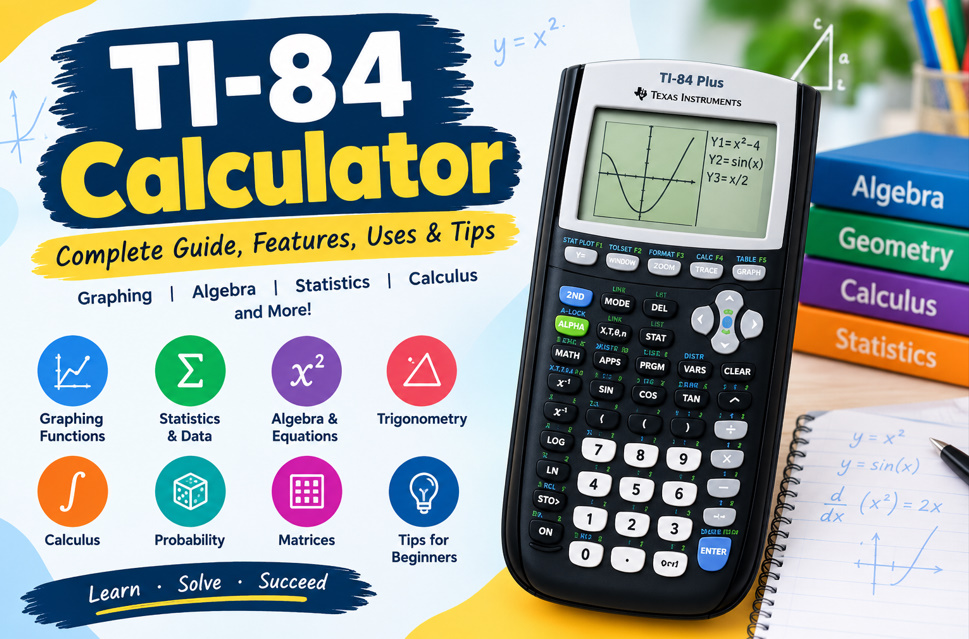
What Is a TI-84 Calculator?
The TI-84 calculator is a graphing calculator widely designed for mathematics and science education. Unlike a basic calculator, it can display equations graphically, create tables, analyze functions, work with statistics, and perform advanced mathematical calculations. The TI-84 Plus family supports coursework from algebra and trigonometry through calculus and statistics.
For beginners, the TI-84 can serve as both a calculation tool and a visual learning device. Students can enter functions, examine their graphs, investigate numerical patterns, and compare different representations of the same mathematical idea. This makes the calculator useful for homework, classroom activities, practice, and many standardized testing environments.
- Graph equations
- Analyze functions
- Create tables
- Calculate statistics
- Solve equations
- Work with matrices
- Explore probability
- Support STEM subjects
Key Features of the TI-84 Calculator
A TI-84 graphing calculator includes many features beyond ordinary arithmetic. Current TI-84 Plus CE specifications include multiple graphing modes, interactive analysis of roots and extrema, function tables, matrix operations, statistical regression, probability distributions, and equation-solving tools. These capabilities allow students to approach mathematical problems numerically, graphically, and analytically.
The TI-84 Plus CE adds a backlit color display, rechargeable battery, additional memory, and a thinner design compared with earlier TI-84 Plus models. Its MathPrint functionality also presents fractions, expressions, and mathematical symbols in a format that more closely resembles traditional written mathematics.
- Color display
- Math Print notation
- Rechargeable battery
- Function graphing
- Statistical analysis
- Matrix calculations
- Probability tools
- Interactive menus
How to Graph Equations on a TI-84
Graphing is one of the most useful TI-84 calculator functions. Students can enter equations as functions and display them on a coordinate plane. The calculator supports rectangular, parametric, polar, and recursive graphing modes, allowing users to explore different types of mathematical relationships.
After entering an equation, students can adjust the graphing window to see the relevant portion of the coordinate plane. Interactive tools can then be used to examine function values, roots, maximums, minimums, derivatives, and integrals. Beginners should experiment with simple equations first to understand how algebraic changes affect a graph.
- Enter functions
- Adjust graph windows
- Zoom into graphs
- Trace coordinates
- Find zeros
- Find intersections
- Locate extrema
- Create tables
TI-84 for Algebra and Trigonometry
The TI-84 is useful for many algebra topics, including equations, functions, polynomials, inequalities, systems, and numerical calculations. Its equation solver and graphing capabilities allow students to investigate relationships between variables while checking results obtained through traditional algebraic methods.
Trigonometry students can use the calculator to evaluate common trigonometric functions and explore their graphs. A particularly important beginner skill is selecting the correct degree or radian mode. The mode affects trigonometric results, so checking the setting before solving angle-based problems can prevent avoidable errors.
- Solve equations
- Evaluate expressions
- Graph functions
- Work with polynomials
- Study inequalities
- Calculate sine
- Calculate cosine
- Calculate tangent
TI-84 Calculator for Statistics and Data
The TI-84 is also a powerful statistics calculator for students learning data analysis. Users can enter numerical lists, calculate statistical measures, create plots, and perform regression analysis. Supported statistical tools include one-variable and two-variable analysis along with several regression models and probability distributions.
Visual data tools can make statistical concepts easier to understand. Depending on the model and settings, students can create scatter plots, histograms, box-and-whisker plots, and normal probability plots. These features help users examine distributions, identify relationships between variables, and investigate patterns within a data set.
- Enter data lists
- Calculate mean
- Find standard deviation
- Create histograms
- Make scatter plots
- Analyze regression
- Study distributions
- Explore probability
TI-84 for Calculus and Advanced Mathematics
Students studying precalculus and calculus can use the TI-84 to investigate mathematical functions numerically and graphically. Interactive analysis features allow users to examine roots, maximums, minimums, derivatives, integrals, and function values. These tools can help connect formulas with visual representations of mathematical behavior.
The calculator works best as a companion to mathematical reasoning. Students can solve a problem using algebraic or calculus methods and then use the TI-84 to check or visualize the result. This approach encourages understanding instead of relying only on a displayed answer and can make complicated concepts more accessible to beginners.
- Graph calculus functions
- Examine derivatives
- Estimate integrals
- Find function roots
- Locate maximums
- Locate minimums
- Evaluate functions
- Study graph behavior
TI-84 Plus vs. TI-84 Plus CE
The TI-84 Plus and TI-84 Plus CE share the familiar TI-84 platform but differ in hardware and display features. The traditional TI-84 Plus has a monochrome display and uses AAA batteries, while the TI-84 Plus CE includes a backlit color display, rechargeable battery, and slimmer construction.
Both models provide extensive graphing and mathematical capabilities, including algebra, statistics, probability, and function analysis. The TI-84 Plus CE provides newer display and hardware features, while the standard TI-84 Plus retains the established TI-84 interface. Students should consider their course requirements and the features they expect to use.
- TI-84 Plus has monochrome display
- TI-84 Plus uses AAA batteries
- TI-84 Plus CE has color
- CE uses rechargeable power
- CE has a slimmer design
- Both support graphing
- Both support statistics
- Both support programming
Tips for Using a TI-84 Calculator Effectively
Beginners can learn the TI-84 more efficiently by starting with frequently used functions. Practice entering expressions, graphing basic equations, creating tables, and working with lists before moving to advanced statistics, matrices, probability, or calculus. Learning a few common menus at a time can make the calculator much easier to navigate.
Accuracy is important when using any graphing calculator. Before accepting a result, check the equation you entered, angle mode, graphing window, data lists, and statistical settings. It is also helpful to estimate an answer mentally or work through the mathematics manually before using the calculator to verify your result.
- Learn common keys
- Check angle mode
- Verify equations
- Review graph windows
- Organize data lists
- Practice regularly
- Check calculator settings
- Understand displayed results
TI-84 Applications for Math, Science, and STEM
The TI-84 family can support subjects including algebra, geometry, trigonometry, precalculus, calculus, statistics, probability, physics, chemistry, and other STEM coursework. Available applications can expand its capabilities with tools for inequalities, conics, probability simulations, transformations, polynomial roots, and simultaneous equations.
Programming is another useful capability. TI-84 models support TI-Basic programming, while the TI-84 Plus CE Python Edition adds a dedicated Python environment. This can introduce students to computational thinking, mathematical modeling, simulations, and basic programming while keeping the calculator connected to their existing mathematics workflow.
- Algebra applications
- Geometry tools
- Trigonometry support
- Calculus functions
- Statistics analysis
- Probability simulations
- Science applications
- Programming capabilities